Category: Email
-
A quick guide to font selections
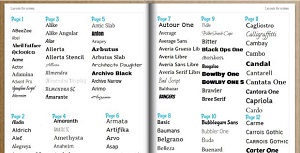
Lots of you have been asking for a quick, visual representation of the fonts we have available so you can quickly put together a font palette to work into your yearbook themes. Here’s a guide to the font styles available and where you’ll find them on the font selector 😀…
-
#Makeitmonday: Articles

By the time you get to the top year group, you’ve probably been on lots of amazing school trips, won competitions and held more than a few events! Besides adding collages, you can document these moments by making beautifully designed article pages to tell your stories and relive those memories…
-
#Makeitmonday: Wordles
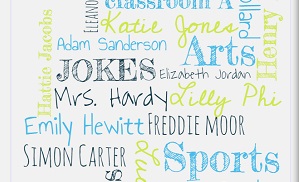
Word collages are always a nice addition to a yearbook and make lovely cover designs, intro pages and dividers. Previously we have had to direct people away to external sites to create these and often the image output from these sites has less than ideal print quality. To make you…
-
Incorporating Fill Shapes

Every year, we’re suprised with the designs our editors come up with and this year is set to be just the same thanks to the new page designer and the freedom it gives to create awesome pages. New for this year is the ability to add fill shapes to your…
-
Awards page creator now online!
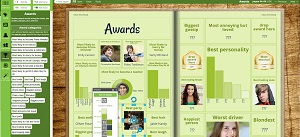
By now, you probably have your awards voting underway and you might be thinking about how you want to design your pages. On Monday, we launched a shiny new awards page designer for you to play with and I’m excited to tell you more about how it works and how…
-
#Makeitmonday: Contents Pages

The first page is important to setting the tone of your yearbook and often a contents page is a great way to introduce a certain style or design idea. You want a book to grab your attention from the onset and often a contents page can be a bit of…
-
Page types and how to make them!

Wondering how to make your yearbook a little more interesting? If you’re ready to get stuck in, why not browse some example pages to see how you can use the page designer to create beautiful and stylish designs. From simple tips to meticulous arrangements, our Page types Pinterest board is…
-
Navigating the page designer
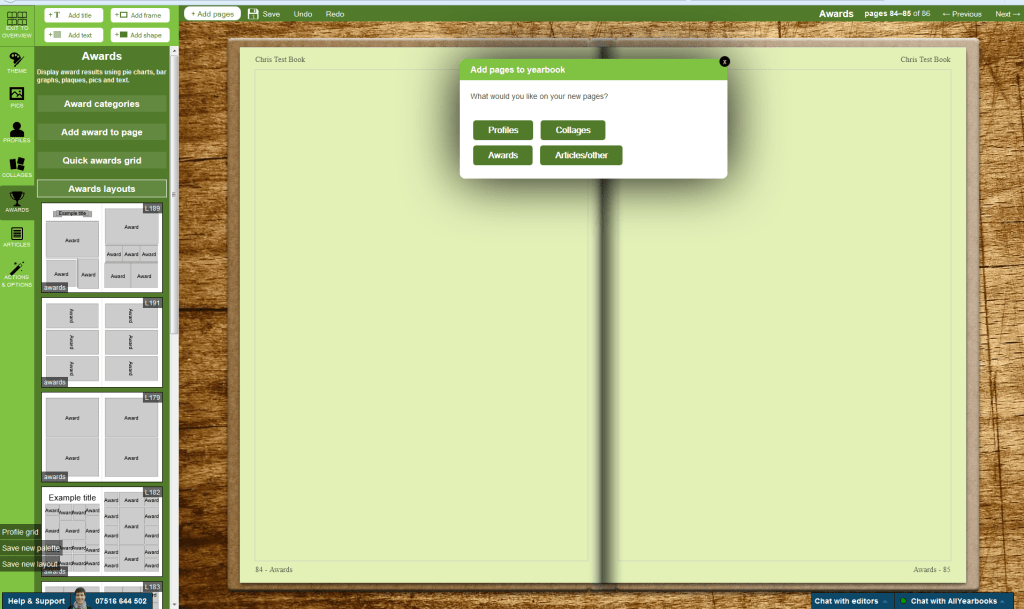
It’s starting to get really busy now and we’ve introduced a few changes to the toolbar in your page designer to help streamline the process of adding content. Firstly you’ll see the add title text, add body text, add frame and add shape icons are now shown at the top…
-
Custom Page Uploads

Sometimes you need real freedom to truly bring your ideas to life and a custom page often fits the bill in these circumstances. Custom pages are made entirely offline using software of your choosing, i.e. word or photoshop, and you then upload them to the book 🙂 You can make…
-
Custom Colour Palettes
Firstly let me just take a moment to say Happy New Year everybody! Here’s to a wonderful yearbook filled 2015 😀 To kickstart the busy season, we’re launching more new features to help you create beautiful designs unique to your school. Just before Christmas, we launched over 600 new fonts…
 AllYearbooks Blog